
Everything an integrity program needs, on one database
IntegrityTwin Desktop covers the pipeline's data, the engineering done on it and the work that follows, from the vendor's file to the dig and back. Each part below is in the program today.
The line, its records and its stationing
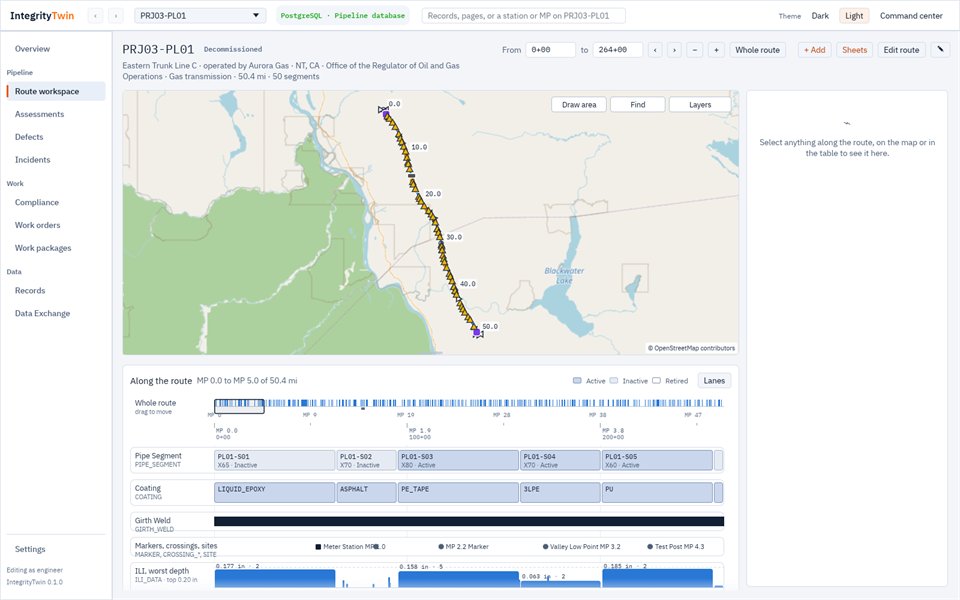
Choose a pipeline and work along it. The map, the lanes and the record table follow the same stretch, so what you pick in one is shown in the others.
- Map with layers for every PODS feature class, OpenStreetMap or a GIS base
- Find records by their attributes or inside an area drawn on the map
- Lanes for pipe, coating, welds, markers, ILI depths, CP and open work
- The Inspector: every field of the record picked, its documents and its history
- Records added, edited and deleted in place, placed by station or coordinates
- Route editor for the centerline and its stationing
Fourteen assessments, each showing its working
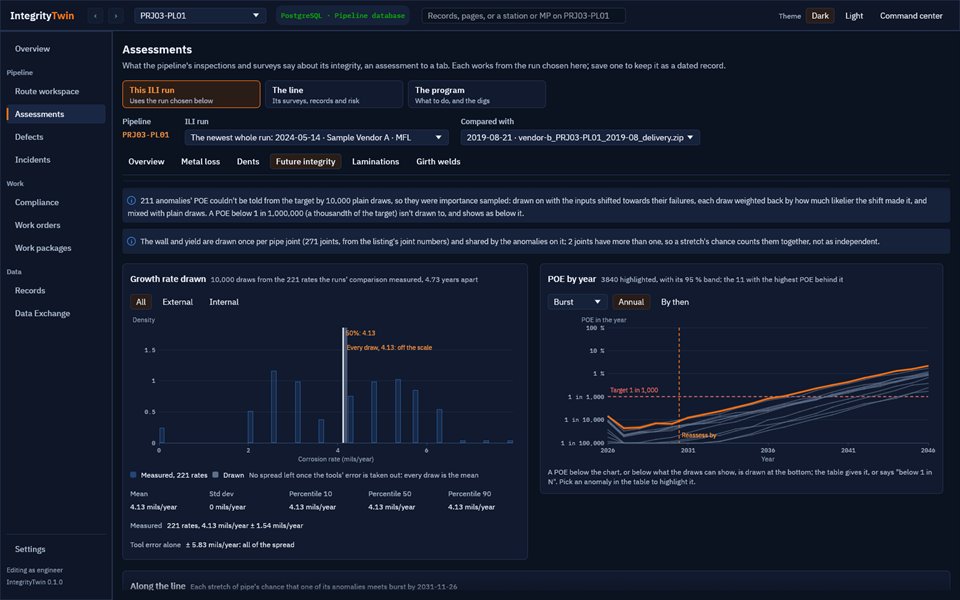
Every assessment says which rules it applies, which data it used and what it assumed where the data was silent. Results can be saved as dated records and compared with earlier ones.
- This ILI run: metal loss, dents, future integrity (deterministic and probabilistic), laminations, girth welds
- The line: cathodic protection, long seam welds, class location changes, MAOP verification, risk, segmented risk
- The program: the integrity plan and dig plans
Metal loss
Failure pressure by RSTRENG (effective area) and Modified B31G, tool tolerance added, judged against the repair conditions where each anomaly is.
49 CFR 192.933, 192.712 · ASME B31.8SFuture integrity
Growth from the run comparison, dig-by dates, and a probabilistic view with importance sampling for the rare failures.
Monte Carlo · CSA Z662 Annex OCathodic protection
CIS against −850 mV and 100 mV polarization, DCVG and ACVG indications, test stations year by year, rectifier checks.
49 CFR 192.463, 192.465 · AMPP SP0169, SP0502Class location changes
Population changes along the line, the class each stretch now needs, and what the MAOP or pipe must do about it.
49 CFR 192.609, 192.611MAOP verification
Each segment's records checked for traceable, verifiable and complete MAOP, with the method it needs if not.
49 CFR 192.624Risk and segmented risk
The line cut wherever an input changes, each segment scored by threat and consequence, and ranked.
ASME B31.8S 5.7 · API RP 1160From the tool's call to the repair
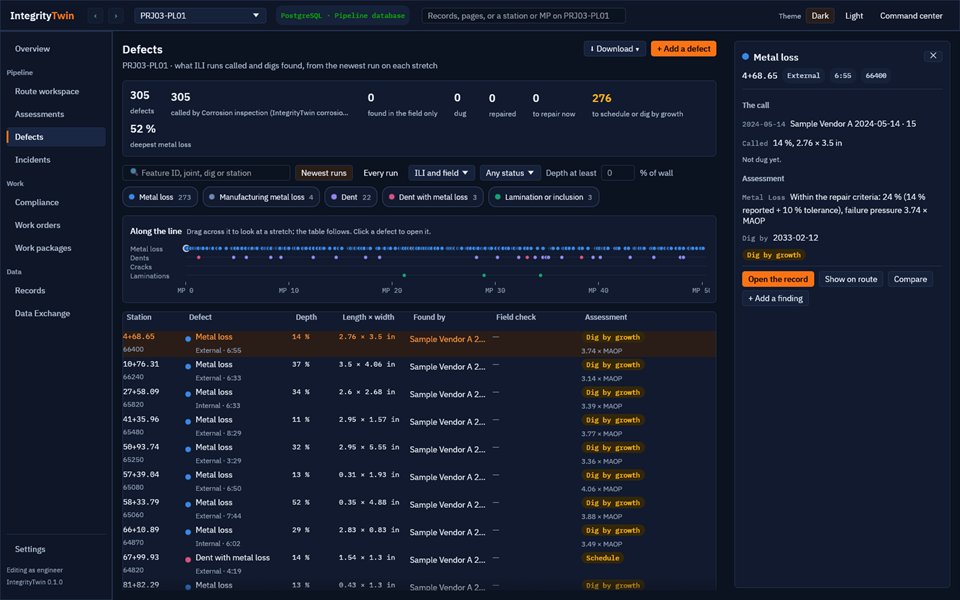
Every defect the ILI runs called or the field found, with its assessment beside it. Plan digs from them, print the dig sheets, and bring the field results back in.
- Defects along the line by type, filtered by depth, status and run
- Compare an anomaly across runs, with the C-scans of POF 110 grid data
- Dig sheets printed, filled in the field and imported back
Due dates kept, work tracked, reports made
Compliance rules for the line's assets turn into tasks with due and late-after dates. Work orders and work packages carry the work out and back. The incident register applies the reporting thresholds.
- Due, audit report, the PHMSA annual report and the rules behind them
- Work packages issued to a contractor as PDF, results checked back in
- Incidents with the regulator's tests applied and their reports tracked
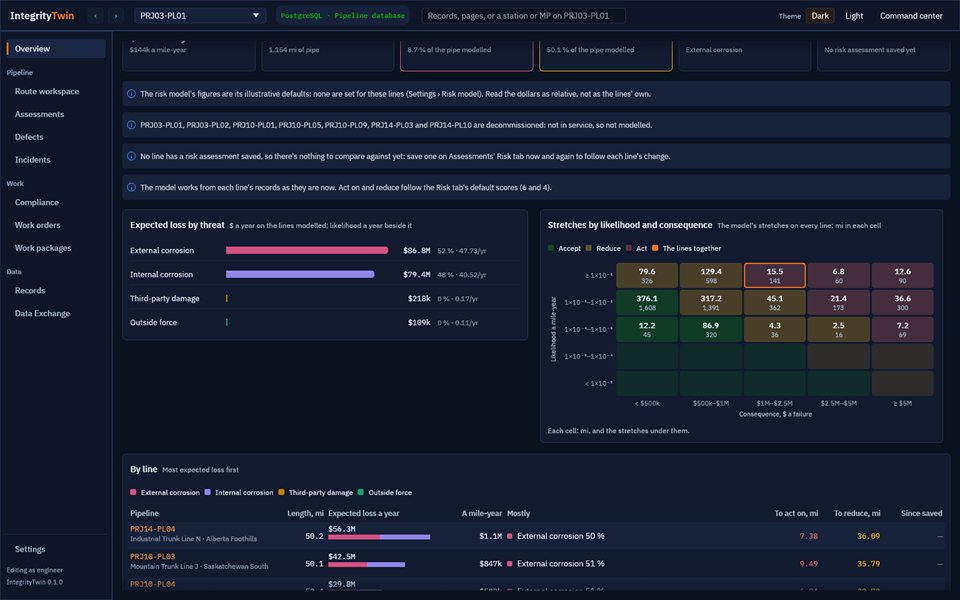
- The Overview: what's waiting on you, overdue work, risk and spending
Seventeen ways to bring data in
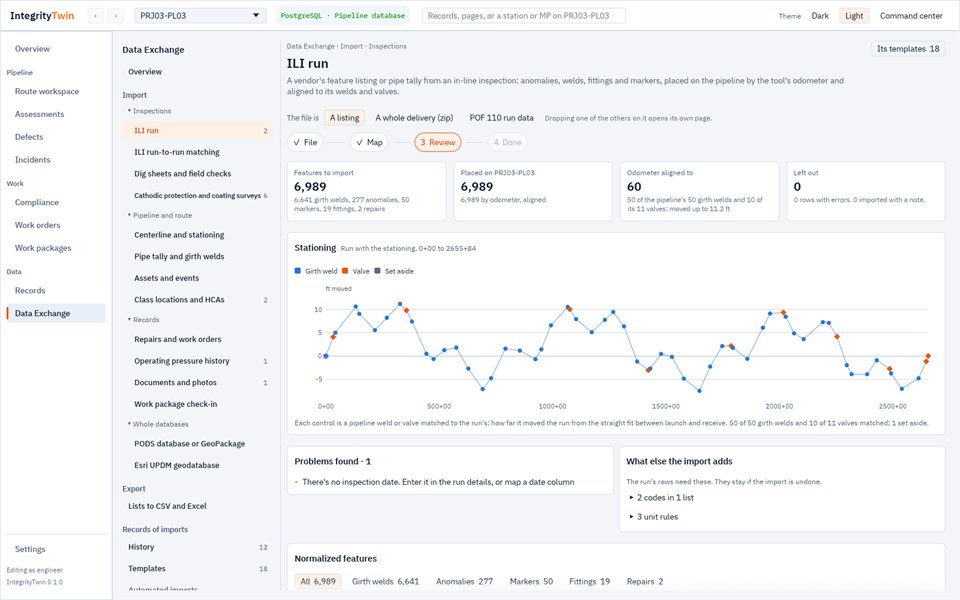
Every import maps the file's columns, previews the result with its problems listed, and writes only when you say. Each is kept in the history and can be undone as a whole.
- ILI feature listings and whole vendor deliveries, aligned to welds and valves
- POF 100 listings and POF 110 run data, with grids read for C-scans
- Run-to-run matching for growth, and the pipe tally and girth welds
- Centerlines, CP and coating surveys, pressure history, class locations and HCAs
- Repairs and work orders, dig sheets, documents and photos
- Whole PODS databases, GeoPackages and Esri UPDM geodatabases
- Automated imports from a folder, a web address or a database query
Alignment sheets, drawn from the records
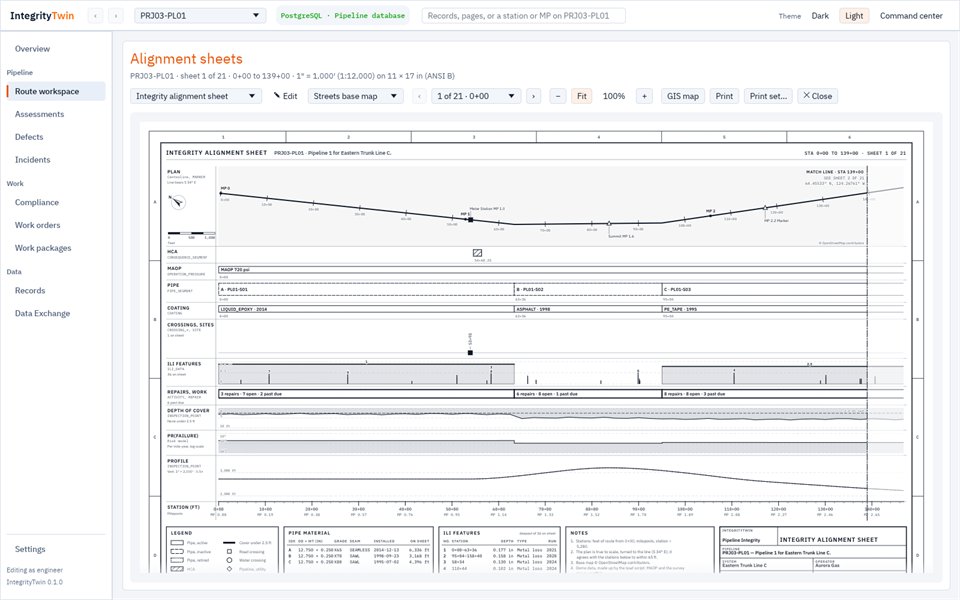
Integrity, as-built and risk alignment sheets drawn to scale from the database, with the plan, the bands and a title block. Print one sheet, a set for a stretch, or a whole system to PDF.
- Sheet templates you can edit: the bands, their order and the scale
- Weld sheets, dig sheets, work packages and assessment reports
- Lists of any table to CSV or Excel
Made to be relied on
PODS 7 database
Reads and writes the PODS 7 tables as they are, with IntegrityTwin's own tables beside them, in PostgreSQL (with PostGIS) or SQLite.
Change history
Every change records who made it, when, from where, and the values before and after. Imports undo as a whole.
Database tools
Create a new database, upgrade one, copy between PostgreSQL and SQLite, and manage roles, from the program.
Saved connections
Several databases kept as profiles. Passwords stay in Windows Credential Manager or PostgreSQL's own password file.
Units
US customary or SI, chosen in Preferences, with stationing in feet or metres.
Install without IT
The program installs itself for one Windows user, with no administrator rights, and uninstalls from Windows' Apps list.
See it on your own data
Point it at a PODS 7 database, or a copy of one, and open a line.